Download raPPPid from GitHub and follow the instructions provided in the README. Open Matlab and navigate to the WORK folder of raPPPid. Start the GUI with
raPPPid()
In order to calculate your first PPP solution with the Decoupled Clock Model (DCM), you will need a RINEX observation file. Therefore, enter the following command to the command window of Matlab:
DownloadDaily30sIGS('AREG00PER', 200, 2025)
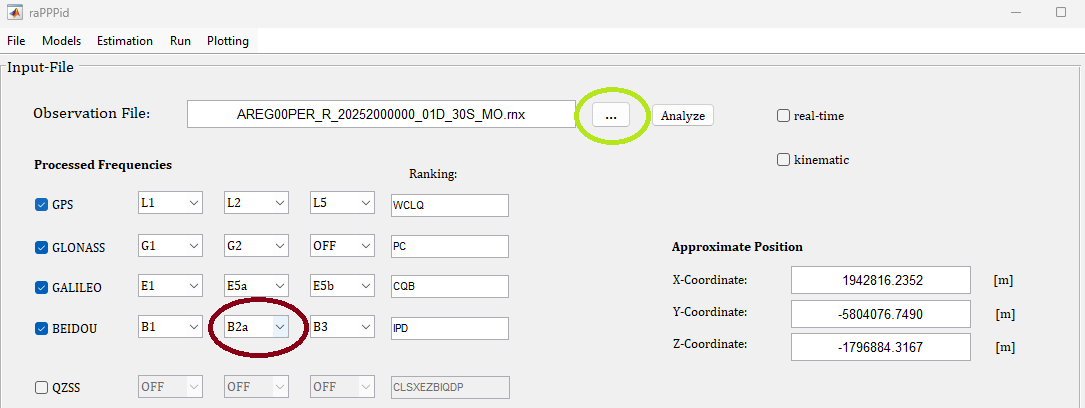
Load the downloaded RINEX observation file into the GUI with the pushbutton (green ellipse) and set the second BeiDou frequency to B2a (red ellipse). Load the parameter file "DCM_WUM_rapid.mat" (File > Parameter Files > Load Parameters). This configuration is provided as a starting point for the Decoupled Clock Model.
Jump to Table of Content
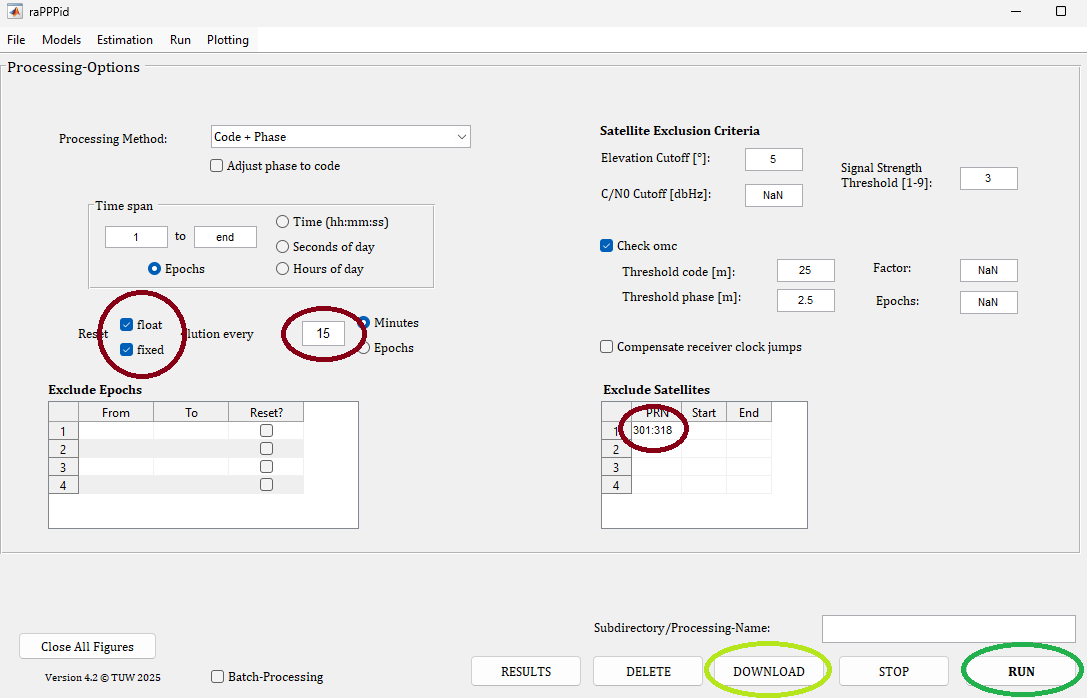
Add a reset every 15 minutes and exclude BeiDou satellites 301–318 to process only Beidou-3 (see red ellipses). Then, click the download button (bright green ellipse) and wait, as the download will take some time due to the slow FTP server. Before starting the processing (dark green ellipse), please check if the download was successful .
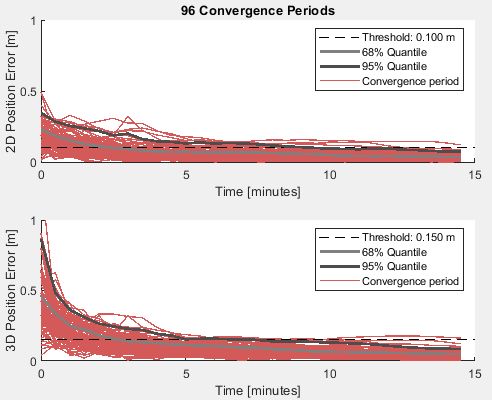
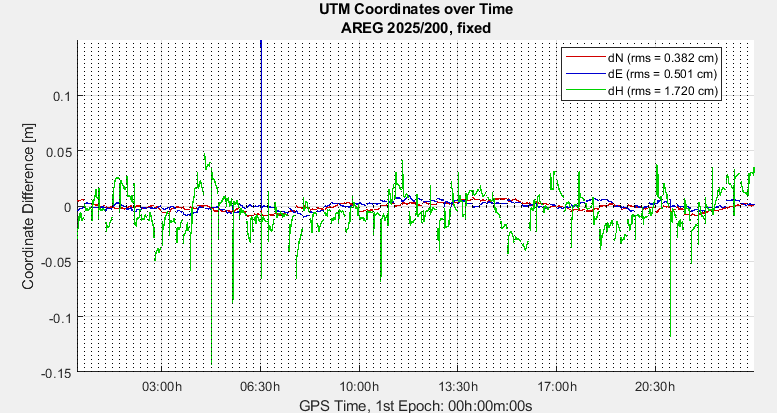
Well done! You have successfully calculated your first PPP solution using the DCM. Your results should resemble the following. Otherwise, please deactivate BeiDou and reprocess. Alternatively, download and select “igs20_2375.atx” on the panel 'Other Corrections.
Jump to Table of Content